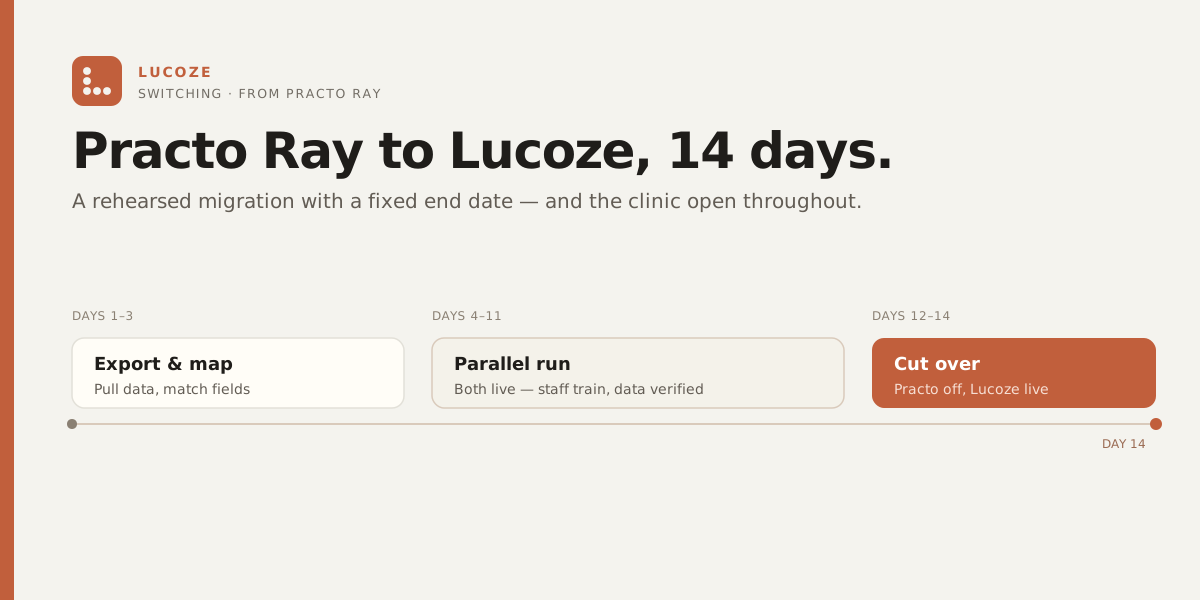
Switching from Practo Ray to Lucoze in 14 days.
The 14-day migration playbook we've built, with the importers ready to run when your clinic is.
Why do clinics switch from Practo Ray?
Practo Ray works for solo practitioners. The friction starts when you add a second doctor, then a third — the schedule conflicts compound, the billing model strains, and the integrations you actually need (lab, pharmacy, GST e-invoicing) live in separate tools. Of the multi-doctor clinic owners we’ve spoken with who are evaluating switching, a clear majority are coming off Practo Ray. Here’s the migration playbook we’ve built and tested with our import tooling, ready to run when your clinic is. If you’re still weighing the two platforms, start with our side-by-side Lucoze vs Practo Ray comparison.
Day 0 — Export
Practo Ray’s settings panel has a CSV export for appointments and patient master. Run it. Save both files. We’ll need them on Day 1.
Days 1–3 — Import + validation
- Patient master goes in first. We dedupe by phone + DOB and report conflicts (typically 4-7% of records).
- Appointment history goes in next. Past appointments preserve who saw whom, when, and the visit type.
- Active appointments — the patient bookings still in the future — get rolled forward with confirmation messages.
- You run both systems in parallel. Lucoze in read-only mode, Practo Ray as primary.
Days 4–7 — Switching billing
Day 4: cutover billing to Lucoze. The front desk processes the day on Lucoze, with the old system open as backup. By day 7, 95% of staff stop opening the old tool.
Days 8–14 — Records consolidation
Old clinical notes are read-only in Lucoze, alongside new notes. We don’t try to OCR five years of free-text — we tag the visit dates and let your doctors browse when needed. New notes from Day 4 forward are full-fidelity.
Day 14 — Practo Ray cancellation
You export a final archive from Practo Ray (CSV + the PDF receipts they generate). You retain it for 7 years as required. You cancel the Practo Ray subscription. Done.
What do you keep?
- Every patient record, indexed and searchable in Lucoze.
- Every past appointment, with the right doctor and visit type.
- All active bookings, rolled forward.
- A full archive of the old system, for your own records.
What does this cost?
The migration is included on the Clinic Pro plan. Hospital plan adds a named implementation manager. There is no “migration fee” — it would be obscene to charge for moving your own data.